
Citrix: Citrix XenApp 6 and IMA Service won’t start
1 min read
I recently build a Citrix XenApp 6 deployment using RES Automation Manager but encountered problems with some (not all) installations. After a default installation the IMA service couldn’t start. When looking at the eventlogs of one of those specific servers I found the following errors:
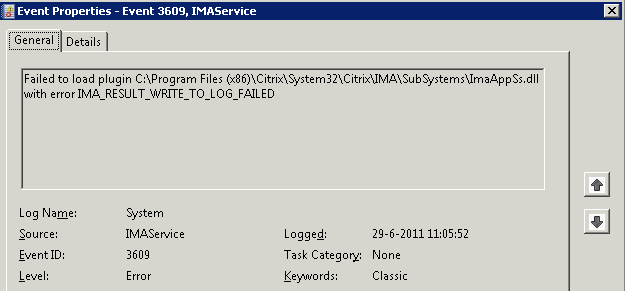
Failed to load plugin C:\Program Files (x86)\Citrix\System32\Citrix\IMA\SubSystems\ImaAppSs.dll with error IMA_RESULT_WRITE_TO_LOG_FAILED
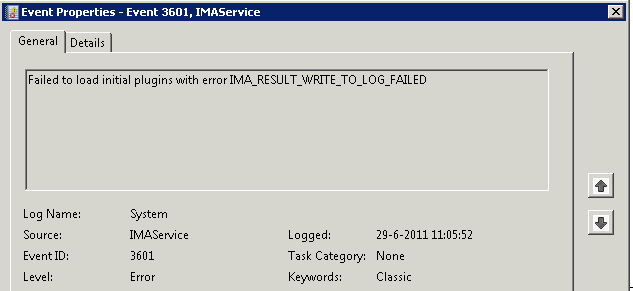
Failed to load initial plugins with error IMA_RESULT_WRITE_TO_LOG_FAILED
and further on in the eventlog the following error was presented:

When searching on the internet I found the following fix:
Well apparently this is a Citrix common item because the Citrix tech went straight to this registry key and changed it.
HKEY_LOCAL_MACHINE\SOFTWARE\Wow6432Node\Citrix\IMA\RUNTIMEThen blanked out the following keys:
CurrentlyLoadingPlugin
ProductPluginsAfter that, IMA magically starts and all services come back up and running.
So based on this I took one of the XenApp 6 servers and blanked those keys:
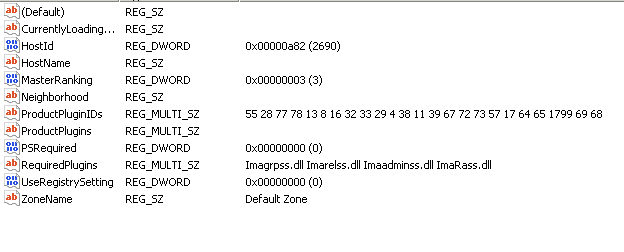
After this I could start the IMA service again and I was able to launch a published desktop on this server again.

Kees Baggerman
Latest posts by Kees Baggerman (see all)
- Citrix MCSIO on Nutanix AHV: A Solution to a Problem That Doesn’t Exist - June 10, 2026
- The Cloud Desktop CPU Lottery: What Are You Actually Running On? - June 2, 2026
- Your Cloud Desktop Is Running on Yesterday’s Silicon - May 21, 2026
- When the Orchard Ships Production Software: AI-Augmented Development in the Real World - May 17, 2026
- Nutanix Documentation Script v5.0: Visual Reports, Brand Templates, and Seven Embedded Diagrams - May 15, 2026

I received this error, and nothing as above and other forums solved my issue. I found the solution as below:
Error: The Citrix Independent Management Architecture service terminated with service-specific error %%-2147483601. And also Citrix MFCom service was in starting mode.
à NTFS permissions on file C:\Windows\SysWOW64\mscoree.dll reset to default: SYSTEM, Administrators, Users: Read and Read & Execute
NT Service\TrustedInstaller: Full Control