
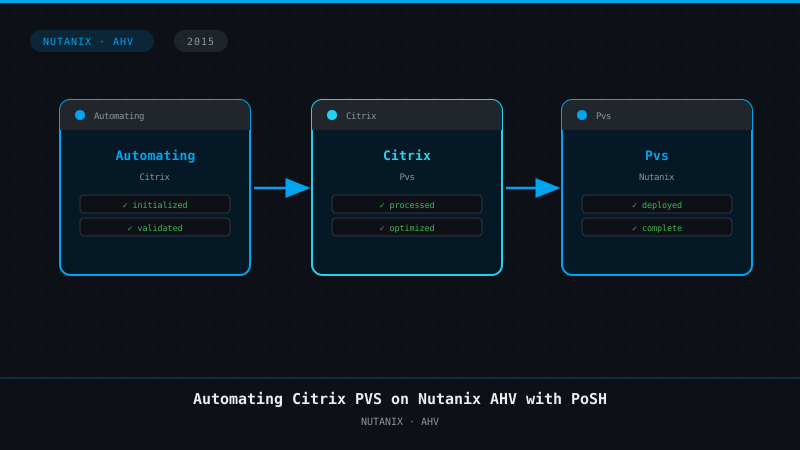
Automating Citrix PVS on Nutanix AHV with PoSH
4 min read
Archive notice, October 2026: This post is from November 2015 and stays online for reference. Citrix PVS is now Citrix Provisioning, and it creates target devices on Nutanix AHV natively. Use the Citrix Virtual Apps and Desktops Setup Wizard with the Nutanix AHV plug-in instead of this script. The script also relies on PowerShell snap-ins that only run in Windows PowerShell 5.1. If you still want to script AHV, start with the Nutanix PowerShell 7 modules on the PowerShell Gallery.
 With the current announcement of running Citrix XenDesktop on Nutanix Acropolis Hypervisor I was really exited to start playing around with the options the Nutanix platform gives us to automate a lot of processes. Currently Nutanix provides a couple of ways to automate, one of them being good ol’ PoSH.
When we look at the current ways to interact with the Nutanix environment we basically can define 3 ways of doing so in a programmatically way:
With the current announcement of running Citrix XenDesktop on Nutanix Acropolis Hypervisor I was really exited to start playing around with the options the Nutanix platform gives us to automate a lot of processes. Currently Nutanix provides a couple of ways to automate, one of them being good ol’ PoSH.
When we look at the current ways to interact with the Nutanix environment we basically can define 3 ways of doing so in a programmatically way:
- REST API
- CLI – ACLI & NCLI
- Scripting interfaces (PoSH)
- Create a target VM following your specifications
- Provide this target VM to our Image Service
- Run the provided script, it will search the image service for available images and it will clone the VM according to your needs.
- The script will then create a Target VM within the PVS console according to the naming scheme you have provided and it will fetch the MAC address from the VM and add it to the PVS console.
# Both the PVS cmdlets as the Nutanix cmdlets have to be installed

Add-PSSnapin -Name McliPSSnapIn
Add-PSSnapin -Name NutanixCmdletsPSSnapin

# Connecting to the Nutanix AHV Cluster and the Citrix PVS server

Connect-NTNXCluster AAA.BBB.CCC.DDD -AcceptInvalidSSLCerts
Mcli-Run SetupConnection -p server=AAA.BBB.CCC.DDD, port=54321

# Create VMs in AHV


 ##########################
 ## Get inputs & Defaults
 ##########################

 # Get vms array once
 $vmid = Get-NTNXVM

 # Create array for clone tasks
 $cloneTasks = @()

 # Get available images
 if ($vmid.vmName -contains $image.vmName) {
 Write-Host "Image found!"
 Write-Host "$($vmid.vmName)"
 }

 # Select Image
 if ([string]::IsNullOrEmpty($image)) {
 $image = Read-Host "Please enter an image name "
 }

 # Get VM prefix if not passed
 if ([string]::IsNullOrEmpty($prefix)) {
 $prefix = Read-Host "Please enter a name prefix and int structure [e.g. myClones-###] "
 }

 # Get starting int if not passed
 if ([string]::IsNullOrEmpty($startInt)) {
 $startInt = Read-Host "Please enter a starting int [e.g. 1] "
 }

 # If ints aren't formatted
 if ($prefix -notmatch '#') {
 $length = 3
 } else {
 $length = [regex]::matches($prefix,"#").count

 # Remove # from prefix
 $prefix = $prefix.Trim('#')
 }

 # Get VM quantity if not passed
 if ([string]::IsNullOrEmpty($quantity)) {
 $quantity = Read-Host "Please enter the desired quantity of VMs to be provisioned "
 }


 1..$quantity | %{

 $l_formattedInt = "{0:D$length}" -f $($_+$startInt-1)

 $l_formattedName = "$prefix$l_formattedInt"

 Write-Host "Creating clone $l_formattedName"

 # Create clone spec


 $spec = New-NTNXObject -Name VMCloneSpecDTO
 $spec.name = $l_formattedName

 foreach ($p in $vmid) {
 $task = Clone-NTNXVirtualMachine -Vmid $p -SpecList $spec

 $cloneTasks += $task

 }
}


# PARAMETERS

# hostname of one PVS Server

$pvshost ="PVSServerHostname"

# Parameters which have to be edited according to environment - check for correct silo name

$description= "Description of the vDisk"
$OU="OU=computers,DC=contoso,DC=local"

# Parameters which have to be edited according to PVS Device Collection
$collection= "PVS Device Collection Name"
$site_1= "PVS Site 1"

# Get the VM Names, the MAC addresses and create targets in PVS

$vmid = get-ntnxvm

 foreach ($p in $vmid) {
 $mac = get-ntnxvmnic -vmid $p
 $p.vmName
 $mac.macAddress
 Mcli-Add Device -r deviceName=$($p.vmName), collectionName=Collection, siteName=Site, deviceMac=$($mac.macAddress)
}
Of course you’ll need to change the cluster IP and the PVS server IP from AAA.BBB.CCC.DDD and some other variables to your own environment but the rest should work out of the box. I realise that the script itself could be enhanced to be more flexible but this is more like a demonstration of the possibilities when we start combining PoSH cmdlets.
Special thanks goes out to Pankaj Sinha who helped out with some Q&A on the script.The following two tabs change content below.

Kees Baggerman
Kees Baggerman is Senior Technical Director — Performance & Solutions Engineering R&D at Nutanix, where he leads a global team responsible for defining how enterprise applications are delivered on the Nutanix platform. A former Citrix Technology Professional and NVIDIA Enterprise Platform Advisor, he has spent 15+ years driving EUC strategy and technical direction across architecture, product, and customer success. He has been writing here since 2011 — sharing what he learns at the intersection of platform engineering and enterprise IT.
Latest posts by Kees Baggerman (see all)
- The Cloud Desktop CPU Lottery, AMD Edition: Which Zen Are You Actually Running On? - October 23, 2026
- Citrix MCSIO on Nutanix AHV: A Solution to a Problem That Doesn’t Exist - June 10, 2026
- The Cloud Desktop CPU Lottery: What Are You Actually Running On? - June 2, 2026
- Your Cloud Desktop Is Running on Yesterday’s Silicon - May 21, 2026
- When the Orchard Ships Production Software: AI-Augmented Development in the Real World - May 17, 2026

2 Comments