Ignite 2026 for EUC: The Plumbing Shipped, the Headlines Are Previews
Updated 18 November 2026: I added the Copilot Studio timing for agents, Windows Server 2028, four more Windows and Intune management previews, the sessions worth watching and the first partner news, Liquidware FleetCTRL. I also corrected the RemoteApp status for context-based redirections, where the Windows 365 and AVD release notes disagree.
Ignite 2026 for EUC, day by day
Day 1: The Plumbing Shipped, the Headlines Are Previews (you are here)
Day 2: coming Thursday
Day 3: coming Friday
Day 4: coming Saturday
Microsoft Ignite 2026 kicked off in San Francisco on 17 November, and as usual most of the end-user computing news never made it into the keynote. It sits in the Book of News, the Windows keynote blog, the Windows 365 deep dive, the Windows security post and the Learn release notes for Windows 365 and Azure Virtual Desktop, so that is where I went looking.
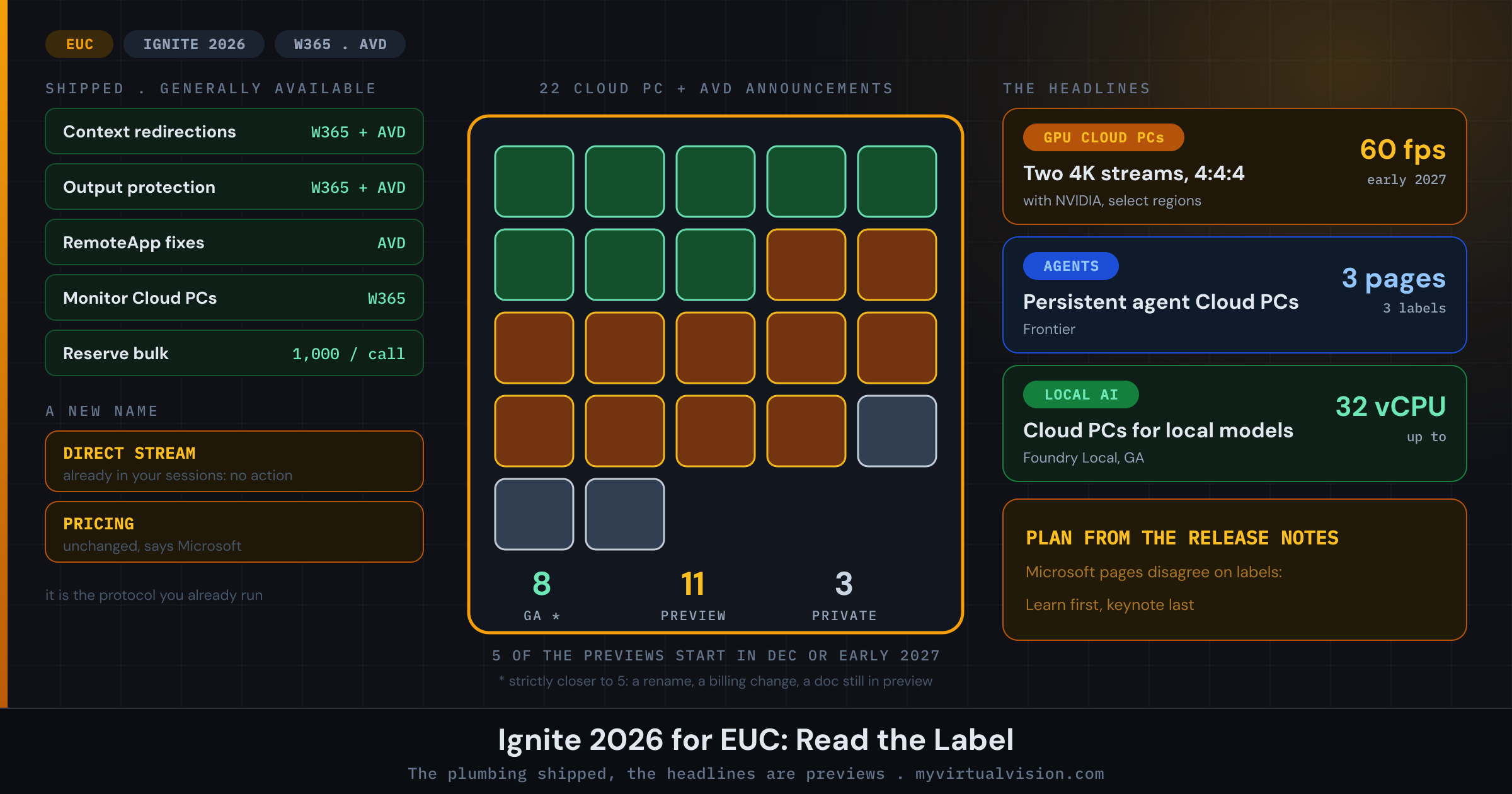
Across those pages I counted 22 announcements that touch Cloud PCs and AVD. Eight of them are generally available, eleven are in preview and three are in private preview, and for five of those previews you will be waiting until December or early next year. If you only watched the keynote, you would think a lot more of this was ready than it is. What actually shipped is the plumbing. The things that made the headlines are previews.
I should be honest about that count, because three of the eight are softer than they look. Direct Stream is a new name for the streaming stack you are already running, and Microsoft says its “enhancements” are generally available without telling us which ones. Windows 365 for Agents has been generally available since June, and the news is that you can now pay for it with Copilot Credits. And RemoteApp enhancements are GA according to the AVD release notes, while the feature’s own documentation page still calls them a preview. Count strictly and you end up closer to five.
| Announcement | Product | Status | When |
|---|---|---|---|
| Direct Stream (name for the W365/AVD streaming stack) | W365 + AVD | GA | Now |
| GPU Cloud PCs: two 4K streams at 60 fps, 4:4:4 | W365 | Preview | Early 2027 |
| Cloud PCs up to 32 vCPU and GPU for local AI models | W365 | GA | Now |
| Monitor Cloud PCs (monitoring and reporting) | W365 | GA | Now |
| Windows 365 admin assistant in Intune | W365 | Preview | Now |
| License and utilization report | W365 | Preview | Now |
| Windows 365 Early Release | W365 | Preview | Now |
| Move Cloud PCs to another region or network | W365 | Preview | Now |
| Reserve: bulk provisioning up to 1,000 | W365 | GA | Now |
| Reserve: license stacking | W365 | Private preview | December |
| Context-based redirections | W365 + AVD | GA | Now |
| MAM for Windows in Windows App | W365 | Preview | Now |
| Output protection (input protection in preview) | W365 + AVD | GA | Now |
| WinRE Startup Repair for Cloud PCs | W365 | Preview | Early 2027 |
| Flex Shared: snapshot-based reset | W365 Flex | Preview | Now |
| Windows App: in-session connection experience | W365 + AVD | Preview | Now |
| Webex and Zoom VDI plugins on Cloud PC devices | Devices | Preview | December |
| RemoteApp enhancements | AVD | GA | Now |
| Windows Server 2025 with AVD Hybrid, multi-user AI dev | AVD | Private preview | No date |
| Windows 365 for Agents: Copilot Credits | W365 Agents | GA | Now |
| Windows 365 for Agents: persistent Cloud PCs | W365 Agents | Private preview | Frontier |
| Windows 365 for Agents MCP in Microsoft Foundry | W365 Agents | Preview | Early 2027 |
The table reflects my 17 November count. Items added in the 18 November update, such as the Copilot Studio harness preview, are covered in the text.
On this page
Direct Stream: a new name for what you already run
The announcement that sounds biggest is Direct Stream, which Microsoft calls the streaming technology behind Windows 365 and Azure Virtual Desktop. Read the keynote and you could easily walk away thinking there is a new protocol to plan for. There is not. The AVD release notes say Direct Stream is already what your users connect through today, and list multipath, fast reconnect, TURN relays and graphics encoding as part of it. If you run AVD, you know every one of those under the RDP name.
The release note answers the practical question in one line: “No action is required. It doesn’t affect existing deployments, functionality, or pricing, and doesn’t apply to on-premises RDP.” Expect the new name to show up in portals and reports over the next few months, with RDP hanging around in places until the documentation catches up.
Microsoft also puts a number on it: nearly 300% better connection reliability on difficult networks. The comparison is with Windows 365 at launch, not with last year, and none of the six pages explains how reliability was measured. I would read it as a sign of direction and not quote it to anyone as a benchmark.
Get new posts by email
One email when a new post goes up. Nothing else.
I only use your address to send new posts, and every email has an unsubscribe link. See the privacy policy.
GPU Cloud PCs are coming, just not yet
For anyone with graphics users, this is the interesting one. Together with NVIDIA, Microsoft is bringing GPU-enabled Cloud PCs that stream to up to two 4K displays at 60 frames per second, with full 4:4:4-equivalent colour. The Book of News puts it in preview early next year, in select regions. The Windows 365 post calls it a public preview in one paragraph and then asks you to sign up for a limited preview in the next, so expect a form and a waiting list rather than a checkbox in the portal.
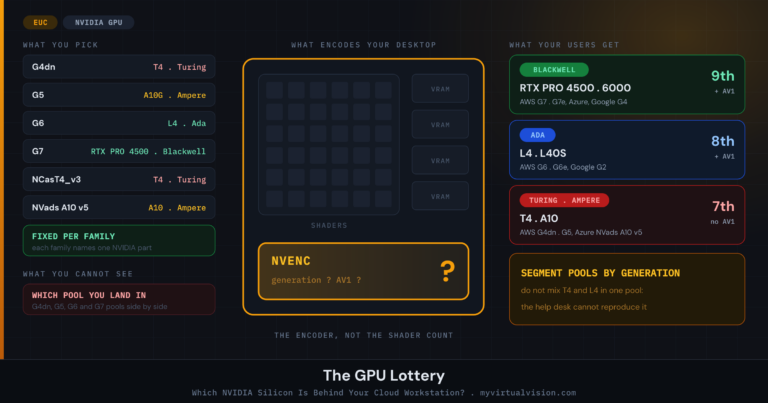
The same post mentions NVIDIA RTX PRO 6000 Blackwell Server Edition GPUs being optimised to encode graphics with Direct Stream. That is the Blackwell part I wrote about in The GPU Lottery, the one behind Azure NC RTX PRO 6000 BSE v6, AWS G7e and Google Cloud G4. Be careful with that sentence, though. It says the encoder is being tuned for that GPU. It does not say that is the GPU your Cloud PC will get, so ask before you assume.
Separately, Microsoft says Cloud PCs can now run the latest local AI models, on sizes up to 32 vCPU and on GPU-enabled Cloud PCs, and that this is generally available. That is aimed at developers running Foundry Local inside a large Cloud PC. It does not change how you size a normal knowledge worker.
Agents get a Cloud PC of their own
Windows 365 for Agents gives AI agents that need to work through Windows apps a Cloud PC of their own, joined to Entra and managed in Intune like any other PC. The service itself is not new: Microsoft made it generally available in June. What is new is how you pay for it. It is now eligible for Copilot Credits, the usage-based currency for eligible Microsoft AI services, so an agent’s Cloud PC behaves more like an AI meter than a per-user seat. Microsoft says its own order-processing team cut processing time by 60% with it.
Most of the rest is still to come. In Copilot Studio it is available today as a computer-use tool in the Standard harness, with the Microsoft Copilot harness following in preview in December. Foundry support is a limited preview early next year, and access to on-premises apps through agent identities is in preview as well.
Persistent agent Cloud PCs, the always-on kind for long-running work, show how much the labels move around between Microsoft’s own pages. The Windows 365 post calls it a “Frontier private preview”, the Book of News says Frontier “in preview”, and the keynote blog says they “are coming to Frontier preview”. If you want one, assume you will need to be nominated.
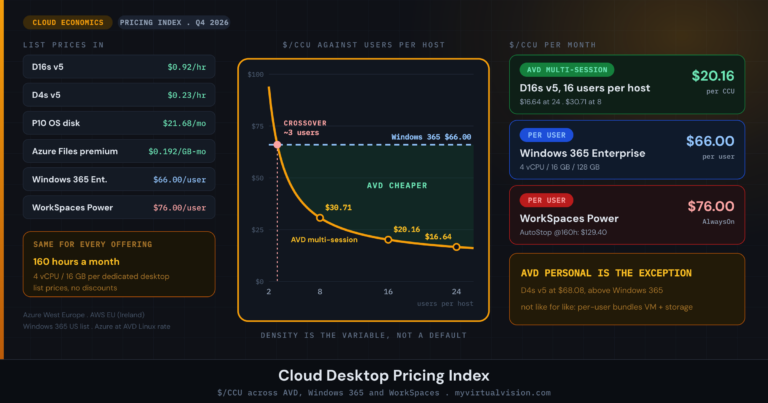
If you plan capacity, this is where I would pay attention. A Cloud PC that bills like an AI service does not fit neatly into the per-user model behind the Cloud Desktop Pricing Index, and none of the six pages gives a price.
Unmanaged devices finally get proper controls
The most useful GA items, in my view, are about devices you do not own:
- Context-based redirections are generally available for Windows 365 Enterprise, Flex Dedicated and Azure Virtual Desktop. RemoteApp sessions are less clear: the Windows 365 release notes list Remote Apps under the GA entry, but the AVD release notes still show RemoteApp support as the preview added in October. I would test that part as a preview for now. Clipboard, drive, printer and USB redirection can now follow Entra authentication context and Conditional Access. In practice, a contractor on a personal laptop and an employee on a compliant device can get different redirection rules from the same host pool, without you building a second pool to do it.
- Output protection is generally available for both Windows 365 and AVD, with input protection in preview. It is aimed at keyloggers and screen-capture malware on the endpoint.
- Mobile Application Management for Windows in the Windows App is in public preview. It puts data-protection policy on the Windows App itself while the device stays unmanaged.
If you run a BYOD or contractor estate, start with context-based redirections. It is the only one of the three that is GA on both Windows 365 and AVD, at least for full desktops.
Operations: two things shipped, the rest is preview
On the admin side, Monitor Cloud PCs is now generally available in Intune, with connection health and a drill-down to user and device level in one place, and Reserve can now provision or deprovision up to 1,000 Cloud PCs in a single request. Everything else is preview:
- Windows 365 admin assistant, an AI troubleshooting assistant in Intune, in public preview. It starts with connectivity problems.
- License and utilization report, in public preview. It shows peak concurrent connections, total usage hours and trends over up to 180 days. If you have been working out concurrency by hand, turn this one on.
- Early Release, in public preview, which lets a tenant get service releases before the standard release. Microsoft is clear that it belongs in a non-production validation tenant, not the one your users log on to.
- Move, in public preview, to move Cloud PCs to another region or network without touching the provisioning policy.
- Reserve licence stacking arrives in private preview in December, and WinRE Startup Repair, for Cloud PCs that will not boot, in preview early next year.
Shared and non-persistent desktops
Windows 365 Flex Shared gets snapshot-based reset in public preview, which puts each Cloud PC back to a state you define after every sign-out. User Experience Sync, which carries settings between sessions, now grows and cleans up its own storage. Anyone who has run pooled VDI will recognise the pattern. Microsoft now sells it as SaaS, but the profile questions do not go away just because someone else manages the profile store.
In the Windows App there is a new in-session connection bar in public preview, so users can switch between connections and change their monitor layout without leaving the session, plus HID device redirection. Both are opt-in. On the hardware side, Webex and Zoom VDI plugins for Windows 365 Link and other Cloud PC devices arrive in preview in December, and there is a Windows 365 Link bundle with Logitech peripherals through select resellers.
Azure Virtual Desktop
I could not find an AVD-specific Ignite blog on day one, so the AVD release notes are the source here. Two items are generally available: context-based redirections and RemoteApp enhancements. The RemoteApp list is the one every AVD admin has complained about at some point: moving and resizing windows, Windows Snap, window appearance, z-ordering and full-screen behaviour. Oddly, the feature’s own documentation page has not caught up and still says “Once these enhancements become generally available (GA), they’ll be enabled by default on supported systems.” Regional host pool metadata is also expanding to more Azure regions.
The more interesting AVD item is for on-premises estates. The Book of News lists Windows Server 2025 with AVD Hybrid in private preview, for multi-user AI development environments that you manage through Windows Server and AVD, with the models running in environments you control. In other words, AVD management on top of Windows Server hosts you run yourself. As a private preview, that is a conversation with your account team for now, not something to deploy.
Windows security, and the label problem
Two Windows items are generally available. The Windows endpoint security platform lets security vendors move critical protection out of the kernel and into user mode, and Microsoft names Bitdefender, CrowdStrike, ESET, SentinelOne, Sophos, Trellix and TrendAI among the partners who have built on it. Administrator protection runs local admins as standard users by default and elevates per task through Windows Hello. Both are worth a pilot on physical PCs and persistent Cloud PCs. For pooled images, ask your EDR vendor when its user-mode agent ships, and test it at logon, where agent load shows up first.
This is also where Microsoft’s own pages disagree the most. Windows baseline protection is “in private preview” according to the Book of News, while the keynote blog and the feature’s own announcement describe a preview through the Windows Insider Program, with general availability planned for 2027, and the security post simply says preview. Automatic updates for apps that users install themselves are “in private preview” in the Book of News, while the keynote says IT “can now preview” them.
Launch-day pages often disagree like this, and the one you happen to read decides whether a feature sounds ready. When they conflict, I go with the most specific source: the Learn release notes first, then the product blog, then the keynote. As with the CPU Lottery, what you assume and what you get are often not the same thing.
Windows Server 2028 and more management previews
Windows Server 2028 is in public preview, with Trusted Launch virtual machines, post-quantum cryptography and a hardened OS baseline. Microsoft says the security, performance and management features are available in preview through the Windows Server Insider Program, and Intune and Autopatch support for Server 2028 in client-like scenarios is a private preview on top of that. If you run RDS or Server-based session hosts, build a test image now. A hardened baseline is the kind of change that tends to break legacy apps and logon scripts first.
The Book of News also lists four Windows and Intune management items, none of them GA yet:
- Declarative device management (preview): IT describes the state it wants, and Windows applies it and keeps it there.
- Experience controls (private preview): time to evaluate upcoming Windows features and roll them out on your own schedule. This is the one I would ask about for persistent Cloud PCs, where feature updates land on users without an image rebuild.
- OS reliability reporting in Windows Autopatch (private preview), with reliability insights such as stop error trends and recurring failure patterns.
- Local AI agent governance in Intune (preview): devices running unapproved agents can be marked noncompliant, and Conditional Access can then block them from company data.
Sessions to watch
If you are following along remotely, the Windows security post points to three sessions: BRK405, What’s new in Windows security: Start secure, protect what matters, prepare for the AI era; BRK398, From Prevention to Recovery: building a more resilient Windows estate; and BRK392, Future-proof your App: Prepare for evolving Windows security standards. The Windows 365 post only gives titles, no session codes. The EUC ones are Windows 365: Your flexible, trusted workspace for the age of AI, Every developer and agent needs a computer: Building with Windows 365, Windows 365 Flex & Cloud PC Devices: Lower Costs, Greater Value and Modernizing on-prem VDI with Azure Virtual Desktop and Windows 365.
Partner news: Liquidware FleetCTRL
The first partner announcement I could confirm on the vendor’s own site is Liquidware’s FleetCTRL, an orchestration platform to deploy, manage, right-size and scale AVD and Windows 365. The interesting part is how it runs. In Liquidware’s words, “FleetCTRL is not SaaS”: it runs in your own Azure tenant or on-premises. The preview is invitation-only. You can apply now, access opens in the first quarter of 2027, and general availability and pricing are planned for 2027.
That self-hosted model will appeal to regulated estates that want to keep management data inside their own boundary. There is nothing to test until the preview opens, though. I will add more partner news as vendors publish details I can check.
The Bottom Line
Ignite 2026 shipped the plumbing. The headlines are still previews.
Of the 22 Windows 365 and AVD announcements I counted, eight are generally available, and strictly speaking it is closer to five. What shipped includes redirection rules for unmanaged devices, output protection, Cloud PC monitoring, RemoteApp fixes and a new name for the protocol you already run.
Direct Stream needs no action and does not change your bill. GPU Cloud PCs with two 4K60 streams, persistent agent Cloud PCs and the Foundry integration are all previews, and six items do not start until December or early next year, counting the Copilot Studio harness preview I added on 18 November.
Microsoft’s own pages disagree on several release labels, so plan from the Learn release notes rather than the keynote.
For this month: if you have unmanaged devices, test context-based redirections. Turn on Monitor Cloud PCs and the utilization report. If you have graphics users, get on the GPU preview list. The rest can sit on the watch list for now.
Which Ignite announcement are you actually going to switch on this quarter? Drop a comment below or find me on X at @kbaggerman.
Get new posts by email
One email when a new post goes up. Nothing else.
I only use your address to send new posts, and every email has an unsubscribe link. See the privacy policy.