
How to deploy Citrix NetScaler VPX on Nutanix AHV
2 min read

As I’m working on a solution note for Citrix NetScaler VPX on Nutanix Acropolis Hypervisor (AHV) I was looking to deploy the VPX on AHV and not completely coincidentally Ronnie Hamilton asked me if I had some tips on how to deploy the NetScaler VPX on AHV which was enough reason write a new blogpost.
Nutanix AHV is Citrix Ready for the Citrix NetScaler VPX, meaning that we can use this virtual appliance to run on Nutanix AHV. Basically we can use the KVM appliance that Citrix offers at their download site to run on Nutanix AHV:
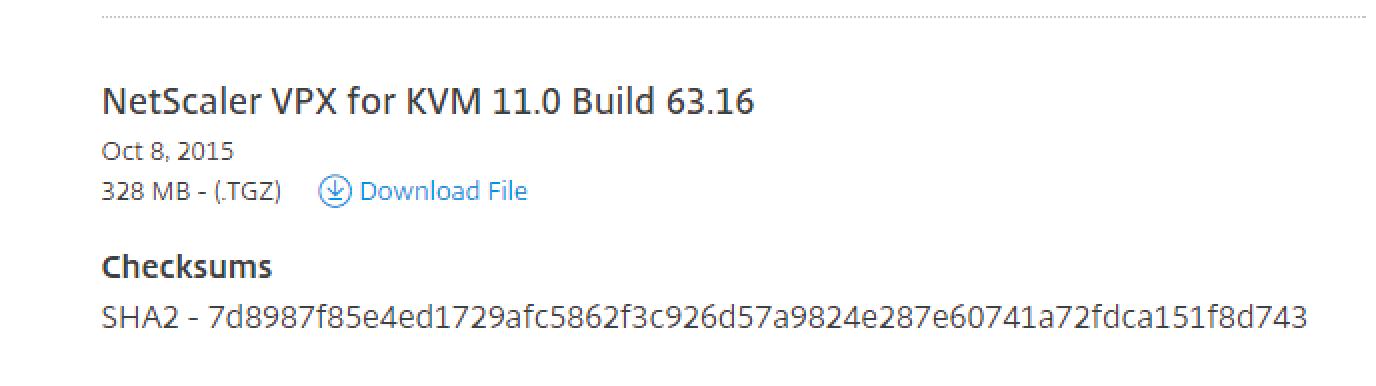
After downloading this file (TGZ) you can extract it with WINRAR and store it on your server. Next you can upload the .raw file to your Nutanix AHV cluster using your favourite SCP program (I’m using WinSCP here), note that the port is not 22 but 2222:
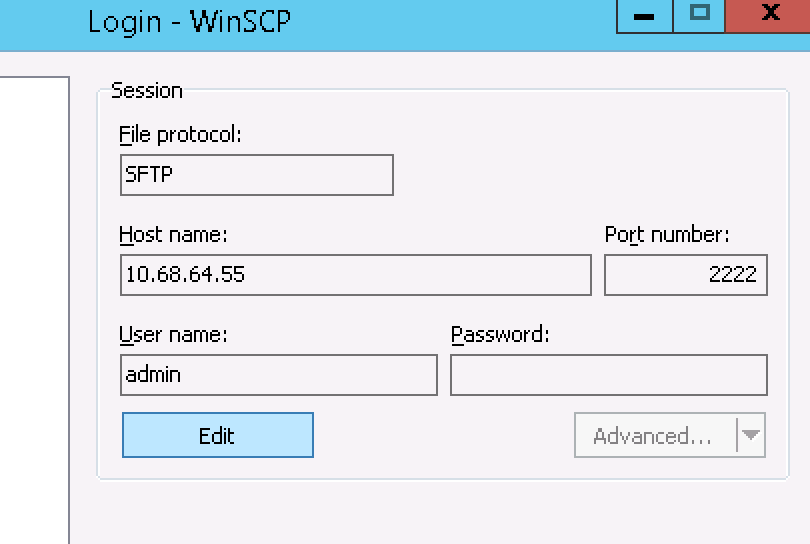
You can store the file anywhere on the Nutanix Distributed File System (Nutanix DFS), in this case I’ve used the folder ‘/ImageStore/NetScaler’ to store the .raw file in. After the upload you can easily use the following steps:
- Login to Prism
- Go to ‘VM’
- Click ‘Create VM’
- Assign a name for the VM
- Add the number of Cores/Processors
- Add the amount of memory you want to assign
- Add a NIC in the correct VLAN
- Add a disk
- Select ‘Clone from ADFS File’
- Select ‘IDE’
- Type the path of the .Raw file (Pro tip: <TAB> will autofill the path.
- Click on ‘Save’
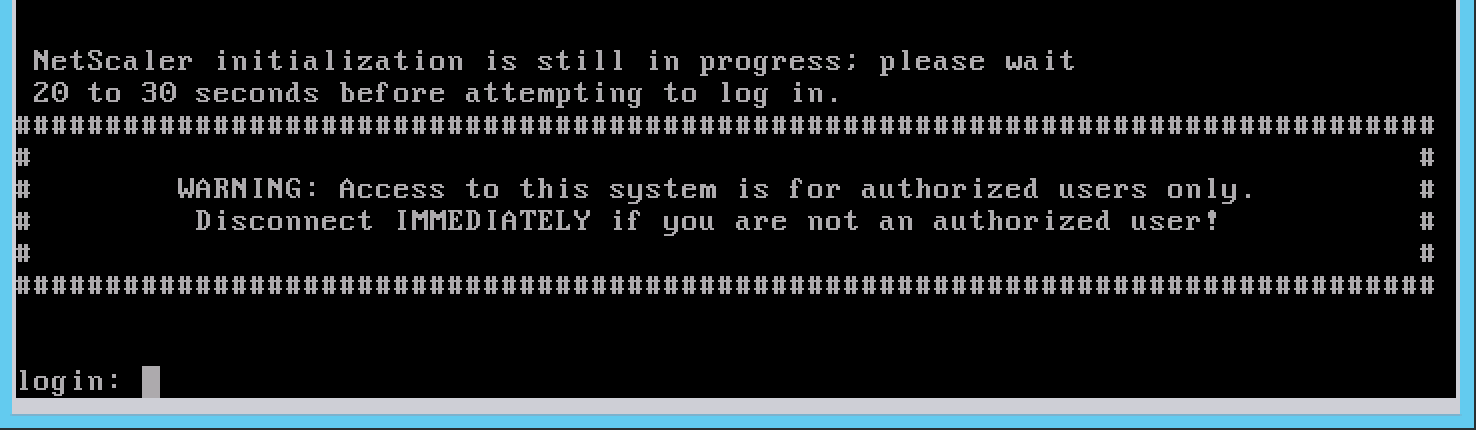
If you power up the VM now you’ll see that the NetScaler VPX will boot and give you a login prompt:
While this works without a problem, I rather go for the Acropolis Command Line (ACLI) using the following commands I can remove the need for clicking around in the GUI:
vm.create netscaler01 memory=2G num_vcpus=2 num_cores_per_vcpu=1
vm.nic_create netscaler01 network=vlan.64
vm.disk_create netscaler01 bus=ide clone_from_adsf_file=/ImageStore/NetScaler/NSVPX-KVM-11.0-63.16_nc.raw
Hopefully this will help you deploying the Citrix NetScaler VPX on Nutanix AHV.
[Update]
As David Collier has noticed we removed the serial port from AHV, this causes the NetScaler VPX for KVM to stop booting, running the following command adds the serial port to the VM:
vm.serial_port_create <VM Name> type=kServer index=0
My colleague Mike Umphreys was loading up a Citrix NetScaler VPX on AHV earlier today and ran into the following error when logging on via the console:
“No such file or directory”
Turns out that you need to remove the CD-ROM drive of the VM, if you remove the CD-ROM drive and you start the NetScaler VM all is good again.

Kees Baggerman
Latest posts by Kees Baggerman (see all)
- Citrix MCSIO on Nutanix AHV: A Solution to a Problem That Doesn’t Exist - June 10, 2026
- The Cloud Desktop CPU Lottery: What Are You Actually Running On? - June 2, 2026
- Your Cloud Desktop Is Running on Yesterday’s Silicon - May 21, 2026
- When the Orchard Ships Production Software: AI-Augmented Development in the Real World - May 17, 2026
- Nutanix Documentation Script v5.0: Visual Reports, Brand Templates, and Seven Embedded Diagrams - May 15, 2026

I have tested it with version 11.0.-64.34 and 10.5-61.11. Basically, it works. Unfortunately, I have a Prozzesor always full load. Have you any idee?
Nutanix CE 4.6
It looks as if this is normal:
http://ronnyholtmaat.nl/citrix-netscaler-vpx-high-cpu-usage-50-one-core/
This is normal for NetScaler. What you have to check is in the GUI -> Dashboard, how busy are the Packet Cpu Usage and the Mgmt CPU usage
If you have problems with the VPX loading, make sure you add a virtual serial port (required):
vm.serial_port_create netscaler01 type=kServer index=0
Hi David
I get the following error. Can you advise?
nutanix@NTNX-FCH2113V1Q0-B-CVM:10.100.1.23:~$ vm.serial_port_create NS-VPX type=kServer index=0
-bash: vm.serial_port_create: command not found
Thank you
Hello David. It is ok now. Thank you for the great tutorial.
Run it using cli: ->>> acli vm.serial_port_create NS-VPX type=kServer index=0
Is it possible to migrate an ESX netscaler over to AHV? I’m having trouble getting the Netscaler to boot (That was previously on ESXi). I can import the KVM version and get it to boot just fine but we no longer have the license available for download due to MangleMent Issues.
Hi Mario,
The license is tied to the MAC-adress of the appliance. So you need to check out a new license-file, I would not recommend trying to spoof mac-adress (if even possible).
I ended up rebuilding the Netscaler using an AHV compatible version because the ESX version would not run on AHV whatsoever….