
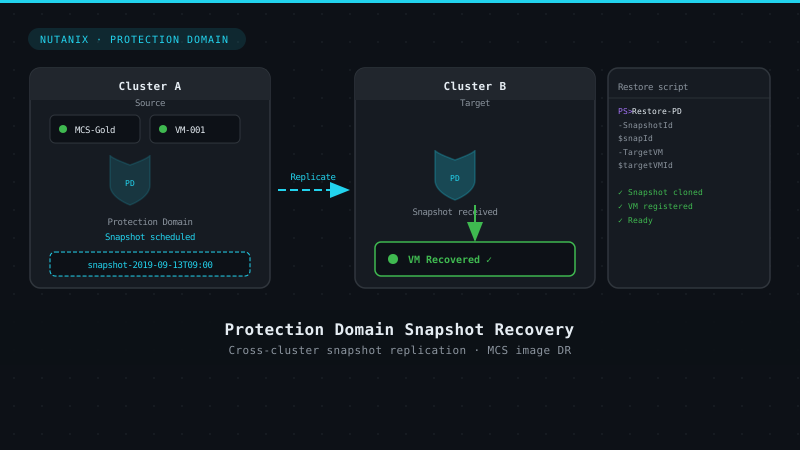
Recovering a Protection Domain snapshot to a VM
4 min read
Yesterday one of our SEs mentioned he was talking to a customer and this customer is using MCS between two separate clusters. They were looking for a way to only keep one image updated and they are then looking to use our Protection Domain to replicate it over to the other cluster. Now, they are looking for some automated way to promote that snapshot to a full VM, luckely this is something we can achieve with the Nutanix Powershell commandlets.
From the older blogs I’ve written, the following interfaces are available:
- REST API
- HTML5 GUI
- CLI – ACLI & NCLI
- Scripting interfaces (PowerShell)
The following definitions are from the Nutanix Bible as Steve Poitras already explained this:
| REST API The REST API exposes every capability and data point of the Prism UI and allows for orchestration or automation tools to easily drive Nutanix action. This enables tools like Saltstack, Puppet, vRealize Operations, System Center Orchestrator, Ansible, etc. to easily create custom workflows for Nutanix. Also, this means that any third-party developer could create their own custom UI and pull in Nutanix data via REST. HTML5 GUI (Prism UI) The HTML5 UI is a key part to Prism to provide a simple, easy to use management interface. However, another core ability are the APIs which are available for automation. All functionality exposed through the Prism UI is also exposed through a full set of REST APIs to allow for the ability to programmatically interface with the Nutanix platform. This allow customers and partners to enable automation, 3rd-party tools, or even create their own UI. CLI – ACLI & NCLI The Acropolis CLI (ACLI) is the CLI for managing the Acropolis portion of the Nutanix product. These capabilities were enabled in releases after 4.1.2. The Nutanix CLI is the CLI for managing the Nutanix product and is more heterogeneous across hypervisors. PowerShell Windows PowerShell is a powerful shell (hence the name ;P) and scripting language built on the .NET framework. It is a very simple to use language and is built to be intuitive and interactive. |
This script will connect to the specified cluster, remove existing VMs with a certain prefix and will search for the available protection domains and will restore the latest snapshot in the defined protection domain. This will awckomplish what is explained in the first header of this blogpost.
# kees@nutanix.com
# @kbaggerman on Twitter
# https://blog.myvirtualvision.com
# Created on September, 2019

# Setting parameters for the connection
[CmdletBinding(SupportsShouldProcess = $False, ConfirmImpact = "None") ]

Param(
    # Nutanix cluster IP address
    [Parameter(Mandatory = $true)]
    [Alias('IP')] [string] $nxIP,
    # Nutanix cluster username
    [Parameter(Mandatory = $true)]
    [Alias('User')] [string] $nxUser,
    # Nutanix cluster password
    [Parameter(Mandatory = $true)]
    [Alias('Password')] [String] $nxPassword,
    # Protection Domain Parameters
    [Parameter(Mandatory = $true)]
    [Alias('PD_Name')] [String] $pdname,
    [Parameter(Mandatory = $true)]
    [Alias('VM Prefix')] [String] $vmprefix
)

# Converting the password to a secure string which isn't accepted for our API connectivity
$nxPasswordSec = ConvertTo-SecureString $nxPassword -AsPlainText -Force
$nxpassword = $null?
?
Function write-log {
    <#
       .Synopsis
       Write logs for debugging purposes

       .Description
       This function writes logs based on the message including a time stamp for debugging purposes.
    #>
    param (
        $message,
        $sev = "INFO"
    )
    if ($sev -eq "INFO") {
        write-host "$(get-date -format "hh:mm:ss") | INFO | $message"
    }
    elseif ($sev -eq "WARN") {
        write-host "$(get-date -format "hh:mm:ss") | WARN | $message"
    }
    elseif ($sev -eq "ERROR") {
        write-host "$(get-date -format "hh:mm:ss") | ERROR | $message"
    }
    elseif ($sev -eq "CHAPTER") {
        write-host "`n`n### $message`n`n"
    }
}

# Adding Nutanix PS cmdlets
$loadedsnapins = (Get-PSSnapin -Registered | Select-Object name).name
if (!($loadedsnapins.Contains("NutanixCmdletsPSSnapin"))) {
    Add-PSSnapin -Name NutanixCmdletsPSSnapin
}

if ($null -eq (Get-PSSnapin -Name NutanixCmdletsPSSnapin -ErrorAction SilentlyContinue)) {
    Add-PSSnapin -Name NutanixCmdletsPSSnapin
    write-log -message "Loading the Nutanix CMDlets"
}
?
# Connecting to the Nutanix Cluster
$nxServerObj = Connect-NTNXCluster -Server $nxIP -UserName $nxUser -Password $nxPasswordSec -AcceptInvalidSSLCerts -ForcedConnection
write-log -Message "Connecting to cluster $nxIp"

if ($null -eq (get-ntnxclusterinfo)) {
    write-log -message "Cluster connection isn't available, abborting the script"
    break
}
else {
    write-log -message "Connected to Nutanix cluster $nxIP"
}
?
# Removing previous VMs with the site prefix
$VMs = get-ntnxvm -SearchString $vmprefix
?
Foreach ($vm in $VMs) {
        Write-Log -Message "Removing $($vm.vmName) from $nxIP"
        $removeVMJobID = Remove-NTNXVirtualMachine -vmid $VM.vmid

        # Make sure the job to remove the VM got submitted
        if($removeVMJobID){Write-Log -Message "Successfully removed $($VM.vmName) from $nxIP"}
        else{
            Write-log -sev Error -Message  "Failed to remove $VM.vmName from $nxIP"
        }
?
}
?
# Grabbing all available protection domains
 $pds = Get-NTNXProtectionDomain
 write-log -message "Getting all Protection Domain Snapshots"
?
foreach ($pd in $pds) {
        # Collect Snapshot Information
        $snap = Get-NTNXProtectionDomain -Name $pdname | Get-NTNXProtectionDomainSnapshot
        write-log -message "Getting the snashot in the specified protection domain"
?
         #Restore snapshot
        Restore-NTNXEntity -PdName $pdname -SnapshotId $snap[0].snapshotId -VmNamePrefix $vmprefix | out-null
        $VMName = $snap.consistencygroups.split('{}')[1]
        Write-log -message "Snapshot $PDName restored as $Prefix$vmname"
?
 }
 # Disconnect from Nutanix Cluster
 Disconnect-NTNXCluster -Servers $nxIP
 Write-log -message "Disconnecting from cluster $nxIP"
Running the scripts outputs like following:


Kees Baggerman
Latest posts by Kees Baggerman (see all)
- Citrix MCSIO on Nutanix AHV: A Solution to a Problem That Doesn’t Exist - June 10, 2026
- The Cloud Desktop CPU Lottery: What Are You Actually Running On? - June 2, 2026
- Your Cloud Desktop Is Running on Yesterday’s Silicon - May 21, 2026
- When the Orchard Ships Production Software: AI-Augmented Development in the Real World - May 17, 2026
- Nutanix Documentation Script v5.0: Visual Reports, Brand Templates, and Seven Embedded Diagrams - May 15, 2026

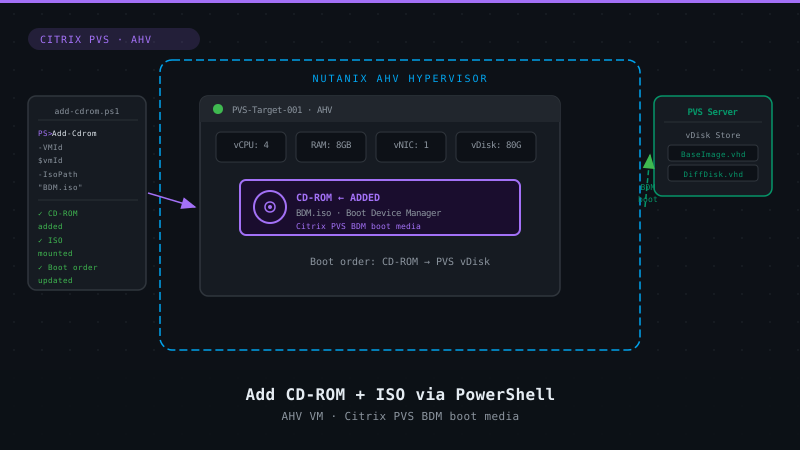
Trying to implement Citrix MCS using a single master image VM across two separate Nutanix clusters, to have a single VM for image updates and management. Both Nutanix clusters have separate storage containers dedicated for Citrix MCS Workloads. Currently trying to automate the restore of the Protection domain VM, which is the protection domain for the Citrix MCS Master image VM on the primary Nutanix AHV cluster, to a separate Nutanix AHV cluster which has a separate Nutanix storage container allocated for only MCS workloads. The Protection domain by default on restroing the protected VM snapshot places the restored protected VM disks on the storage container named SelfServiceContainer. It is then not possible in the Prism console to clone the restored VM to another storage container. To move the restored VM disks to another storage container involves several manual steps at the command line on the secondary cluster, to find the disk id, copy the disk from the SelfServiceContainer to the dedication MCS storage container on the cluster etc to complete the process. Is it possible to execute this via PowerShell in a simpler automated method. Once the VM from the Primary cluster is restored to the secondary cluster MCS storage container, a snapshot would be taken of the VM and used via Studio to update the remote cluster machine catalog