
Automating Citrix PVS on Nutanix AHV with PoSH v2
4 min read
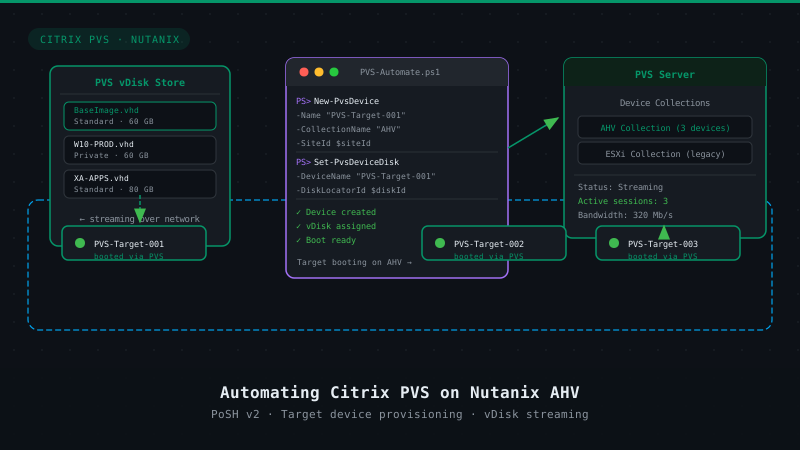
 After our release of full support for Citrix PVS running on Nutanix AHV the blogpost I wrote on Automating Citrix PVS on Nutanix AHV with PoSH in 2015 was obsolete until I got a question around this and I figured that I could update the script with the new PVS cmdlets (and it needed some finetuning as well).
When we look at the current ways to interact with the Nutanix environment we basically can define 3 ways of doing so in a programmatically way:
- REST API
- CLI – ACLI & NCLI
- Scripting interfaces (PoSH)
Both the scripting interfaces as the CLI follow the REST API, the REST API will be able to provide the full feature set of the Prism UI. This is important to understand as it will enable automation frameworks like Puppet, Chef, vRealize, etc to automate and orchestrate workflows within Nutanix.
Now Citrix PVS comes with PoSH as well and with living through previous interations of the Powershell implementation in PVS I can honestly say that there’s a lot of improvement there. If you combine the Nutanix cmdlets and the PVS cmdlets the easy to follow steps are as following:
- Create a target VM following your specifications
- Run the provided script, it will ask for the preferred VM and it will clone the VM according to your needs (copying VM resources specs).
- The script will then create a Target VM within the PVS console according to the naming scheme you have provided and it will fetch the MAC address from the VM and add it to the PVS console.
Although this is not fully integrated it gives you an idea of the capacities this platform has and how we can make things easier if we automate tasks.
# kees@nutanix.com
# @kbaggerman on Twitter
# https://blog.myvirtualvision.com
# Created on March 5, 2019


# Setting parameters for the connection
[CmdletBinding(SupportsShouldProcess = $False, ConfirmImpact = "None") ]

Param(
    # Citrix PVS Server IP
    [Parameter(Mandatory = $true)]
    [Alias('PVS Server IP')] [string] $ctxIP,
    # Nutanix cluster IP address
    [Parameter(Mandatory = $true)]
    [Alias('IP')] [string] $nxIP,
    # Nutanix cluster username
    [Parameter(Mandatory = $true)]
    [Alias('User')] [string] $nxUser,
    # Nutanix cluster password
    [Parameter(Mandatory = $true)]
    [Alias('Password')] [System.Security.SecureString] $nxPassword
)

 Function write-log {
    <#
       .Synopsis
       Write logs for debugging purposes

       .Description
       This function writes logs based on the message including a time stamp for debugging purposes.
    #>
  param (
  $message,
  $sev = "INFO"
  )
  if ($sev -eq "INFO"){
    write-host "$(get-date -format "hh:mm:ss") | INFO | $message"
  } elseif ($sev -eq "WARN"){
    write-host "$(get-date -format "hh:mm:ss") | WARN | $message"
  } elseif ($sev -eq "ERROR"){
    write-host "$(get-date -format "hh:mm:ss") | ERROR | $message"
  } elseif ($sev -eq "CHAPTER"){
    write-host "`n`n### $message`n`n"
  }
}


# Adding PS cmdlets for Nutanix
$loadedsnapins=(Get-PSSnapin -Registered | Select-Object name).name
if(!($loadedsnapins.Contains("NutanixCmdletsPSSnapin"))){
   Add-PSSnapin -Name NutanixCmdletsPSSnapin
}

if ($null -eq (Get-PSSnapin -Name NutanixCmdletsPSSnapin -ErrorAction SilentlyContinue))
{
    write-log -message "Nutanix CMDlets are not loaded, aborting the script"
    break
}

# Adding PS cmdlets for Citrix PVS
$loadedsnapins=(Get-PSSnapin -Registered | Select-Object name).name
if(!($loadedsnapins.Contains("McliPSSnapIn"))){
   Add-PSSnapin -Name Citrix.PVS.Snapin
}

if ($null -eq (Get-PSSnapin -Name Citrix.PVS.Snapin -ErrorAction SilentlyContinue))
{
    write-log -message "Citrix PVS cmdlets are not loaded, aborting the script"
    break
}


# Connecting to the Nutanix Cluster
try
{
    $nxServerObj = Connect-NTNXCluster -Server $nxIP -UserName $nxUser -Password $nxPassword -AcceptInvalidSSLCerts
    write-log -message "Connecting to the Nutanix Cluster with IP: $nxIP"
}
Catch
{
if ($null -eq (get-ntnxclusterinfo))
{
    write-log -message "Cluster connection isn't available, aborting the script"
    break
}
}


# Connecting to the Citrix PVS server
Try
{
Set-PVSConnection -Server $ctxIP
write-log -message "Connecting to the PVS server with IP: $ctxIP"
}
Catch
            {
            write-log -message "Failed to connect to PVS Server $ctxIP"
            }

# Create VMs in AHV

 ##########################
 ## Get inputs & Defaults
 ##########################

 # Get vms array once
 $vms = Get-NTNXVM

 # Create array for clone tasks
 $cloneTasks = @()

 # Get available images
 if ($vmid.vmName -contains $image.vmName) {
 Write-Host "$($vmid.vmName)"
 }
 else {
 Write-Host "No Images found!"
 Write-Host "Please provide a VM name"
 }

 # Select Image
 if ([string]::IsNullOrEmpty($image)) {
 $image = Read-Host "Please enter an image name "
 }

 # Get VM prefix if not passed
 if ([string]::IsNullOrEmpty($prefix)) {
 $prefix = Read-Host "Please enter a name prefix and int structure [e.g. myClones-###] "
 }

 # Get starting int if not passed
 if ([string]::IsNullOrEmpty($startInt)) {
 $startInt = Read-Host "Please enter a starting int [e.g. 1] "
 }

 # If ints aren't formatted
 if ($prefix -notmatch '#') {
 $length = 3
 } else {
 $length = [regex]::matches($prefix,"#").count

 # Remove # from prefix
 $prefix = $prefix.Trim('#')
 }

 # Get VM quantity if not passed
 if ([string]::IsNullOrEmpty($quantity)) {
 $quantity = Read-Host "Please enter the desired quantity of VMs to be provisioned "
 Write-Host ""
 }


 1..$quantity | %{

 $l_formattedInt = "{0:D$length}" -f $($_+$startInt-1)

 $l_formattedName = "$prefix$l_formattedInt"

 $lines = @($l_formattedName)


 # Create clone spec
 $spec = New-NTNXObject -Name VMCloneSpecDTO
 $spec.name = $l_formattedName

 foreach($vm in $vms) {
if($image -eq $vm.vmname) {
        $vmid = $vm.uuid}
        }

 foreach ($p in $lines) {
 Clone-NTNXVirtualMachine -Vmid $vmid -SpecList $spec | Out-Null
 Write-log -Message "Creating clone $p"
 }
}

# Parameters which have to be edited according to PVS Device Collection
$collection= "Collection"
$site= "Site"

# Get the VM Names, the MAC addresses and create targets in PVS
$vmid = get-ntnxvm | Where-Object {$_.vmName -Match $Prefix} | Sort-Object vmName
 foreach ($p in $vmid) {
 $mac = get-ntnxvmnic -vmid $p
 new-pvsdevice -deviceName $p.vmName -collectionName $collection -siteName $Site -deviceMac $($mac.macAddress -replace ":", "-") | Out-Null
 write-log -message "PVS Target created: $($p.vmName) with the mac address $($mac.macaddress) in site $($site)"
 }

Disconnect-NTNXCluster *

write-log -message "Disconnecting from the cluster"
Hopefully this helped to show another expample of the power of the shell. Here’s the output on my test system after running this script:


Kees Baggerman
Latest posts by Kees Baggerman (see all)
- Citrix MCSIO on Nutanix AHV: A Solution to a Problem That Doesn’t Exist - June 10, 2026
- The Cloud Desktop CPU Lottery: What Are You Actually Running On? - June 2, 2026
- Your Cloud Desktop Is Running on Yesterday’s Silicon - May 21, 2026
- When the Orchard Ships Production Software: AI-Augmented Development in the Real World - May 17, 2026
- Nutanix Documentation Script v5.0: Visual Reports, Brand Templates, and Seven Embedded Diagrams - May 15, 2026

Hi, do you have any guide on Integration of PVS with AHV, How do you manage DHCP and PXE boot, We have PVS , Xendesktop and VDI resouce hosted on VMWARE with BDM boot, we would like to now start with hosting VDI in the AHV hypervisor and then move the PVS server as well.
Needed some guide if possible on how to achieve this using same VLAN presented to vmware and able to DHCP and PXE boot from AHV.
That’s no problem, you can do PXE across the stretched VLAN across the hypervisors. Just make sure you’ve got the VirtIO drivers in the PVS image and you’re good to go